
3D MCP: control a 3D scene from your AI
A 3D MCP connects an AI app to a 3D scene, so the AI can build and change it for you. PREVIS is one that runs in your browser. Describe a shot and your AI lays out the set, moves the camera, checks its own frames and writes the video prompt while you watch.
What is an MCP?
MCP stands for Model Context Protocol. It's an open standard that lets an AI app use outside tools. Without one, your AI can only describe a 3D scene. With one, it can reach in and change it.
What your AI can do in PREVIS
- Build a set. Place figures, vehicles and buildings from the kit, including a 111-piece city.
- Direct the camera. Set keyframes, lenses and up to three cameras on the same action.
- Animate. Move models, change poses and use 165 motion clips.
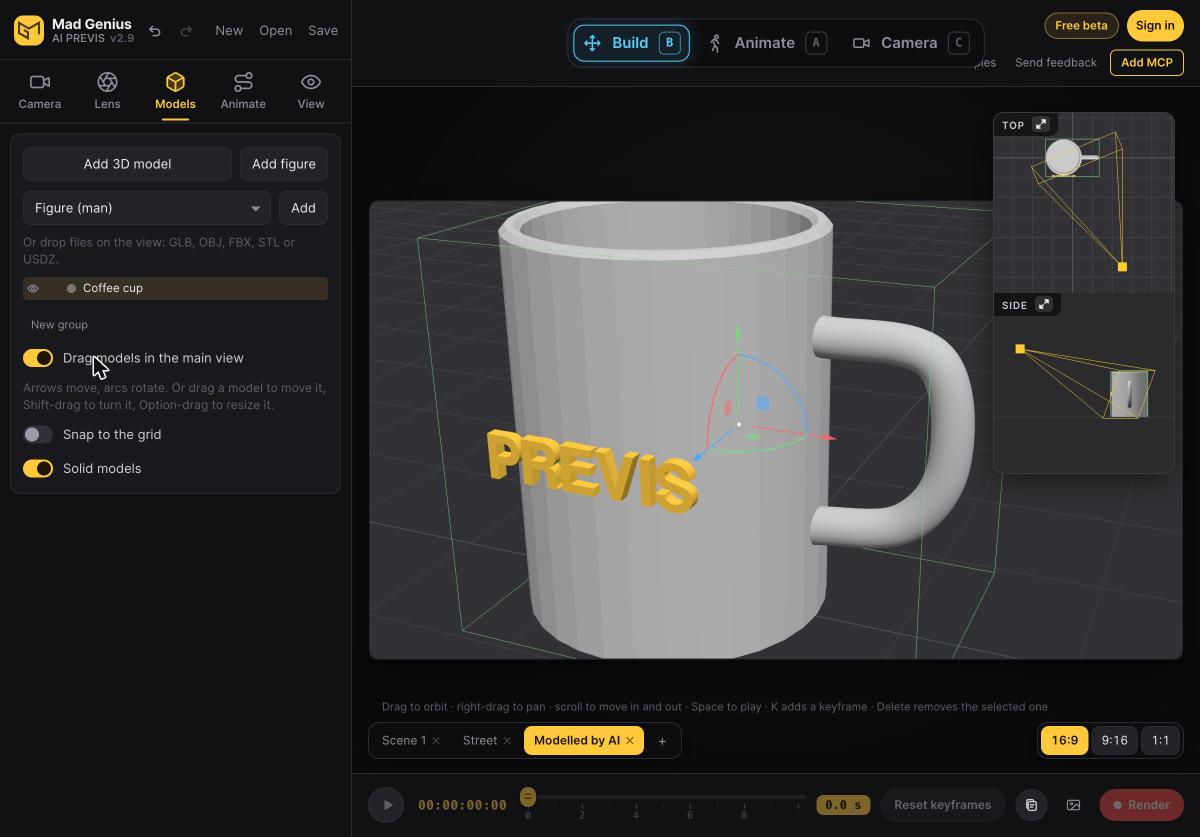
- Model props. Make something the kit doesn't have, using real modelling steps such as extrude, bevel and boolean cuts.
- Build a sequence. Add and open scene tabs, so one request can cover several shots.
- Check its work. Look at the shot, fix what it sees and repeat.
- Export. Save frames, render the reference clip to your Downloads and write the shot prompt.
The tools your AI gets
| Tool | What it does |
|---|---|
build_scene | Builds a whole layout and camera |
edit_scene | Changes part of a scene |
get_scene | Reads what's in the scene |
list_shapes | Lists the kit, with real sizes |
add_scene, open_scene | Works across scene tabs |
join_models, separate_model | Combines or splits models |
look | Shows your AI the frame |
save_frame, render_video | Exports frames and clips |
shot_prompt | Writes the video prompt |
How to connect it
- Open PREVIS and sign in. It's free during the open beta.
- Press Add MCP at the top right and copy your private link.
- In Claude, open Settings, then Connectors, choose Add custom connector and paste it. In other apps, add it wherever they take a remote MCP server.
- Keep the PREVIS tab open, and ask your AI to build a scene.
Your link is private. Anyone who has it can change the scene in your open app, so make a new one if it gets out.
What to ask for
Build a New York rooftop at dusk with one man at the edge, facing the camera.
Start on his eye, fly back off the roof, climb to 90 metres, then spiral
down and land on a medium shot. Keep him facing the lens. 30 seconds.
You can follow this with notes, as you would with a crew: "lower", "wider lens", "slow the last turn". For the full walkthrough, see how we made that shot.
What it's built for
PREVIS is for planning shots. Its scenes are blockouts that guide AI video, not finished 3D. If you need final renders, heavy simulation or detailed characters, use a full 3D package. Here's how it compares with Blender MCP.
Questions
Which AI apps work with it?
Claude, ChatGPT and any AI app that takes a remote MCP connector. It uses your own AI subscription.
Do I need to install anything?
No. PREVIS runs in your browser, and the MCP link is a remote connector. You only need to keep the PREVIS tab open.
Is it free?
Yes, during the open beta everything is free, including Add MCP. No card is asked for.
Can my AI import or export 3D files?
You can open your own GLB, GLTF, OBJ, FBX, STL and USDZ files in PREVIS, and your AI can place and animate them. The app exports video, frames and prompts rather than 3D files.