
How to block out a shot for AI video
A blockout is a rough 3D version of your shot, made from simple stand-in shapes. It fixes the layout, the scale and the camera before you generate anything. The aim isn't a good-looking scene. It's a clear one.
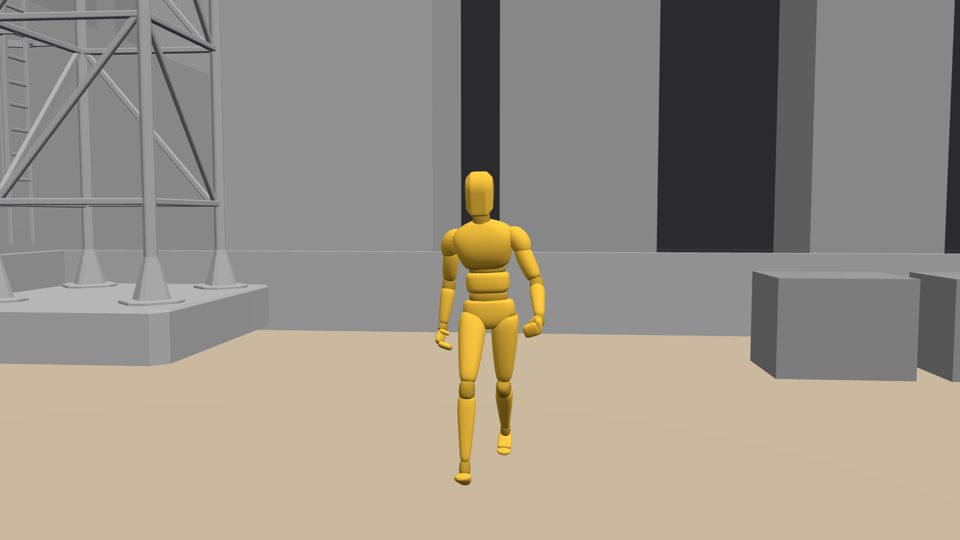 The blockout
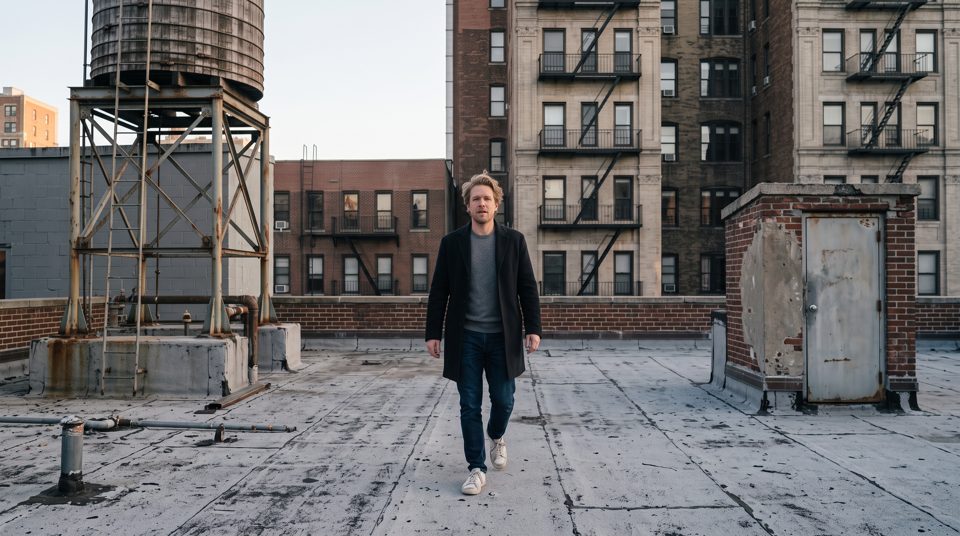 The finished shot
What to put in a blockout
- Your subjects. Use a stand-in figure at real height, facing the right way.
- The big shapes. Include buildings, walls, vehicles and the ground.
- Anything the camera passes. Foreground objects sell the sense of movement.
- Anything people touch. A chair someone sits in has to be where they sit.
What to leave out
Skip textures, lighting, small props and any detail the camera won't read. The video model supplies those from your stills and your prompt. Too much detail in the blockout costs time and can fight the look you want.
How to block out a shot, step by step
- Start with the subject. Put them at the centre of the scene, then build outwards.
- Add the set around them. Keep everything at real size, because scale is what makes the shot believable.
- Look through the camera early. Only build what the frame can see.
- Add the action. Keyframe where people and vehicles go, and give figures a pose or motion clip.
- Move the camera. Set the first and last frame, then add beats in between.
- Play it back. If it reads clearly in grey, it's ready.
- Render the reference clip. Save any grey frames you want to turn into stills.
Common mistakes
- Wrong scale. A car at the wrong size changes the whole sense of space. Use real-size models.
- Too much camera. Keep to a move that fits the clip length. Most tools take 4 to 15 seconds.
- Hidden subjects. If something blocks your subject in grey, it will in the final shot too.
- A dead subject. A figure standing still in the blockout can read as still in the result. Plan the motion you want.
Using the blockout in AI video
Grey frames from the blockout can guide an image model, which holds the layout while it adds the real look. The clip then guides the video model, so the camera follows the move you planned. For the bigger picture, read our guide to previs for AI video.
Block it out in your browser
PREVIS gives you real-size figures, cars and a full city kit in the browser. You can also bring in your own 3D models, or have your AI build the blockout from a description. If you've been using Blender for this, here's how the two compare.
Questions
What is a blockout?
A blockout is a rough 3D version of a scene made from simple stand-in shapes. It sets the layout, the scale and the camera, and leaves the look for later.
How detailed should a blockout be?
Only detailed enough to read. If the size, position and shape of each thing are clear, it's finished.
Should the blockout be grey?
Grey works well because it doesn't compete with the look you want. Your stills and prompt then supply the colour, the light and the materials.
Can AI make the blockout for me?
Yes. With Add MCP, your AI builds the blockout in PREVIS from a description and checks its own frames.